Project notes that turn into billable time
Unlimited rich-text pages per project, with checklists and work logs you can turn into time entries.
- Unlimited pages for every project
- Headings, checklists, toggles & callouts
- Turn notes into time-entry bullets
Free plan, no credit card required.
Notes / Work & projects
Start freeWrite it down, then bill for it
Notes in the project
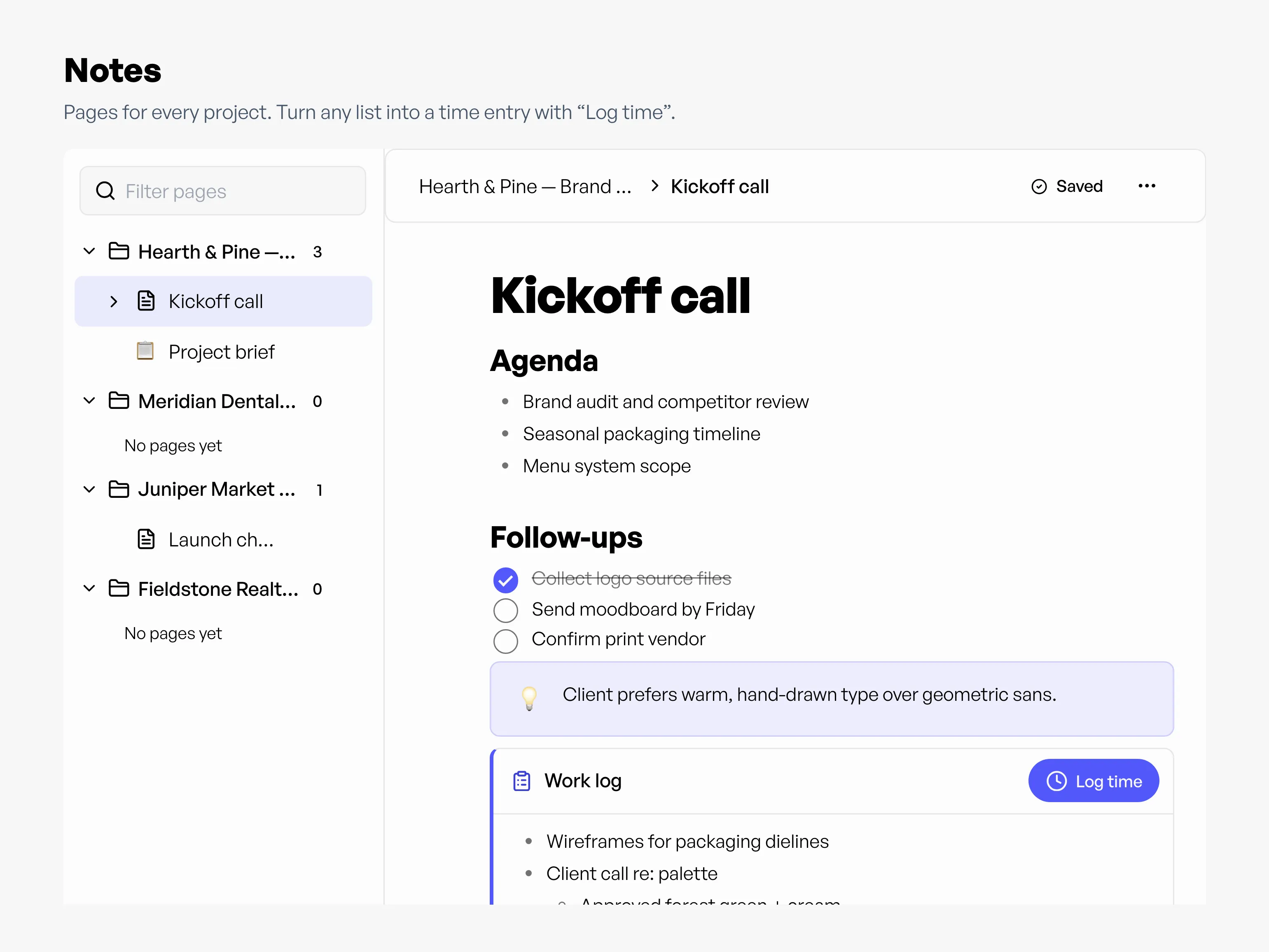
Workey Notes gives every project unlimited pages and sub-pages, so call notes, briefs, and checklists sit next to the time entries and invoices they're about.
Write, then shape it
Type / to add headings, bullet and numbered lists, checklists, toggles, callouts, quotes, and code. Drag blocks to reorder them. Everything saves as you type.
Notes to billable time
Highlight what you did, or keep a Work log block, then click Log time. Enter the hours and it becomes a time entry with clean bullet points, ready for your invoice.
Notes that become time entries
- Project
- Note
- Time entry
Write in a project's Notes, log the work as a time entry on the Timesheet, then bill it on an Invoice. The entry links back to the note it came from.
Questions about notes
Is there a limit on how many notes I can create?
How do I turn notes into a time entry?
What can I add to a note?
Are notes saved automatically?