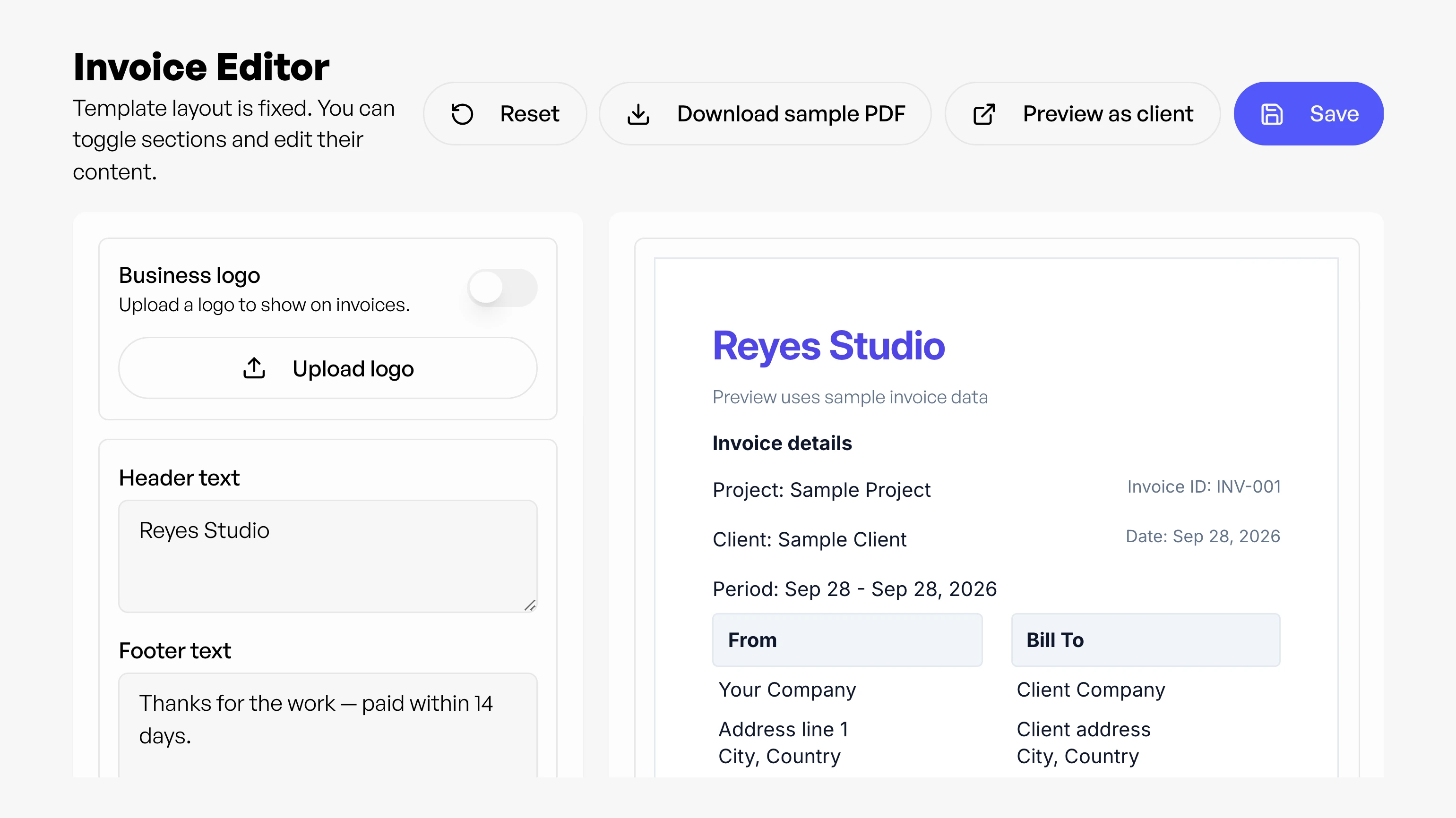
How is Invoice Editor different from regular invoice generation?
Regular invoice generation creates an invoice from your tracked time quickly, while Invoice Editor gives you more control over layout blocks and structure so you can fine-tune how the invoice is presented before finalizing.
Can I change the invoice design (fonts, spacing, sections, and styling)?
Yes. Invoice Editor is built for design control: you can adjust layout blocks, section ordering, fonts, margins, and presentation details so the invoice matches your brand.
Can I customize sections like notes, totals, and billing details?
Yes. Invoice Editor is designed for section-level control, so you can adjust how billing details, totals, and supporting notes are arranged to match your workflow and client expectations.
If I update the design, will it reflect on previous invoices too?
Yes. Invoice design is applied when an invoice is rendered, so when you view or re-download older invoices inside Workey, they will use your latest Invoice Editor design. If you previously downloaded and sent a PDF, that already-sent file won't update automatically. You'd re-download the invoice to send the refreshed design.
Is Invoice Editor available for all invoices?
Invoice Editor is available from the dashboard as a dedicated workspace. You can use it for advanced invoice customization while the standard invoice flow remains available for faster one-click generation.