Find out if your rates are right

Personalized analytics, work pattern analysis, and actionable recommendations for rates and workload.

  • Personalized rate recommendations
  • Work-pattern & burnout signals
  • Client & project value breakdown
Start free See pricing

Free plan, no credit card required.

AI analytics and rate recommendations for freelancers in Workey

AI Insights / AI & insights

Start free

Advice based on your own numbers

  • Work patterns

    Workey analyzes your work patterns, revenue trends, and time allocation. AI analytics for freelancers that surface when to raise rates, rebalance projects, or take a break before burnout.

  • Value in context

    See which clients and projects drive the most value, where you might be undercharging, and how steady your logging really is.

  • You stay in control

    Actionable, human-readable guidance without a data science degree. Nothing changes automatically.

Tabs inside AI Insights

The AI Insights page in the dashboard is organized into five tabs. Each tab surfaces different analysis and suggestions based on your logged time, projects, and invoices.

Overview

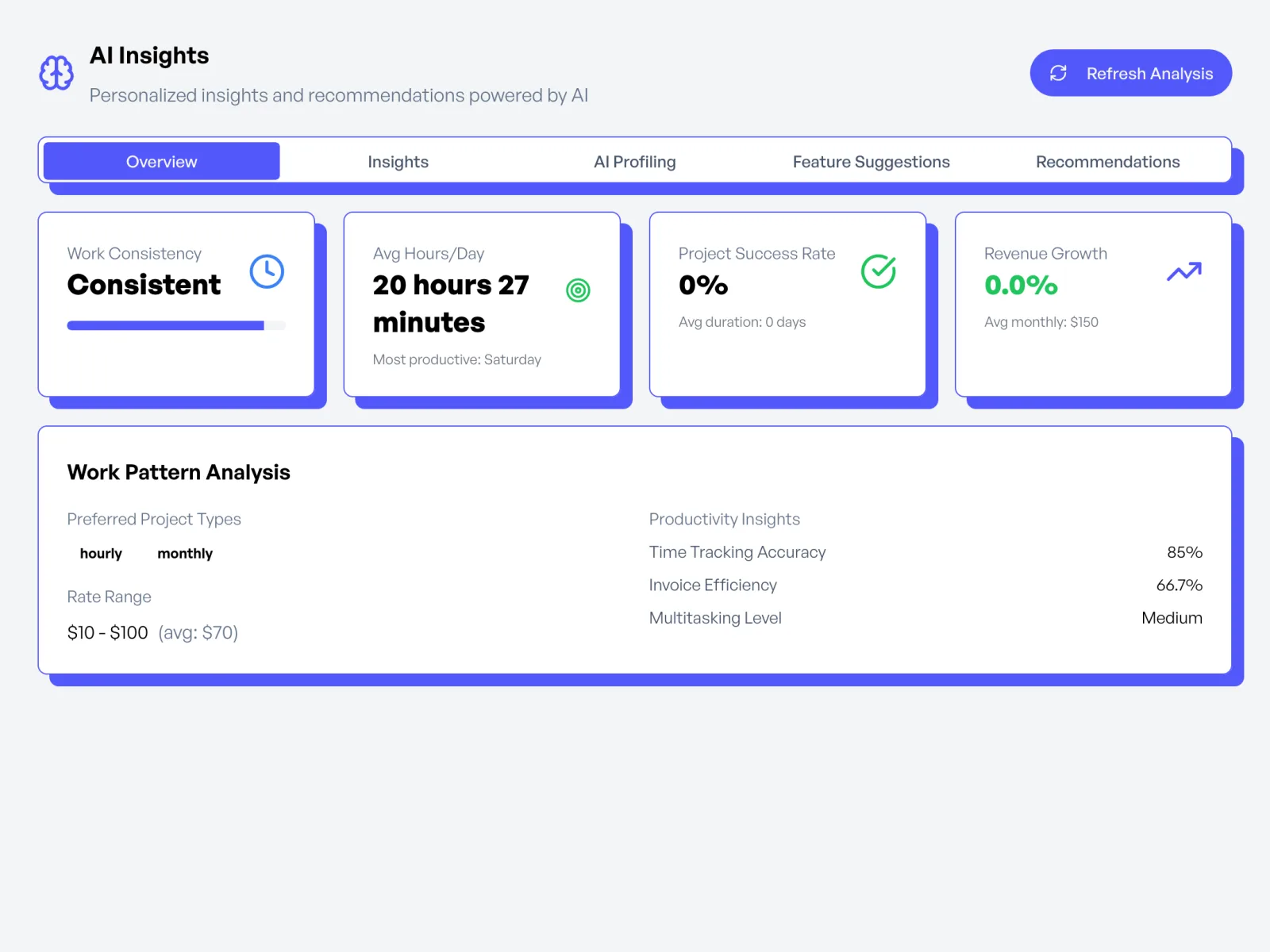
A snapshot of your freelance behavior: work consistency, average hours per day, project success rate, and revenue growth, plus a work pattern summary with your typical rate range.

Insights

Personalized insight cards with a trend (improving, declining, stable), the underlying metric, and actionable suggestions to adjust rates or balance workload.

AI Profiling

A short questionnaire builds a user profile, runs a market analysis, and produces deep insights tailored to how you work and what you want to optimize.

Feature Suggestions

AI-generated ideas for using Workey more effectively, categorized, prioritized, and scored by impact, effort, and estimated benefit.

Recommendations

Concrete recommendations with a confidence score, the reasoning behind each, and the expected benefit. You stay in control. Nothing is applied automatically.

Insights that act on your real numbers

  1. Logged work
  2. Insight
  3. Decision

AI Insights reads the same hours and invoices you log in Projects, Analytics, and Revenue, then suggests rate, workload, and balance improvements you control.

Explore tools for writing, design, development, and admin in the AI tools guide for freelancers.

Questions about ai insights

How does AI Insights help freelancers raise rates?

AI Insights looks at your workload, revenue trends, and client mix to surface when utilization is high, projects may be underpriced, or demand supports a rate increase. They are always suggestions you choose whether to act on.

How does AI Insights generate recommendations?

AI Insights analyzes your logged hours, invoices, and revenue trends to surface patterns like underpriced projects, overwork risk, or opportunities to rebalance your client mix.

Will AI Insights change my data automatically?

No. AI Insights only provides guidance and suggestions; you stay in control of your rates, projects, and schedule and can choose which recommendations to act on.

Can AI Insights warn me about burnout or overwork?

Yes. Work pattern analysis can highlight heavy weeks, inconsistent logging, or sustained high hours so you can rebalance before burnout.

How is AI Insights different from Analytics?

Analytics shows charts and historical numbers. AI Insights interprets your patterns and suggests specific actions (rate changes, project mix, invoicing habits, or rest) based on your data.

Try AI Insights on your own work

Use it alongside the rest of Workey on a free account.

Start free