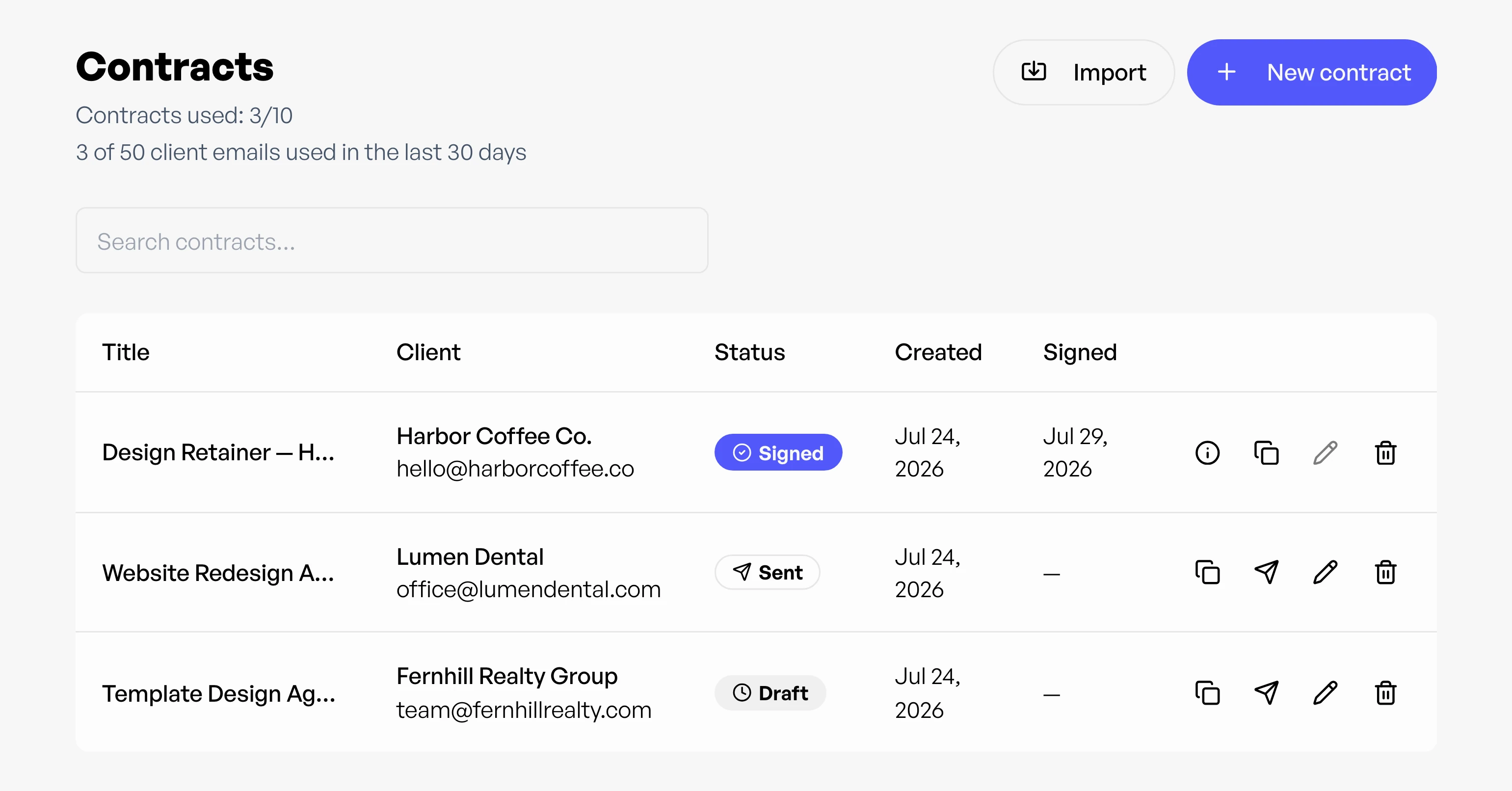
Send contracts and get them signed

Draft or upload contracts, send for signature, and capture a tamper-evident audit trail.

  • Draft markdown or upload a PDF
  • Clients sign on a branded page
  • Tamper-evident audit trail
Start free See pricing

Free plan, no credit card required.

Freelance contract signing with audit trail in Workey

Contracts / Billing & money

Start free

Get agreements signed faster

  • Draft or upload

    Freelance contract signing without another tool: write in markdown or upload an existing PDF, then build a shareable client-signing page in one click.

  • Send for signature

    Your client opens a branded page, types their full legal name, acknowledges the terms, and signs. Decline-with-feedback keeps revisions civil and traceable.

  • Audit trail included

    Every signed contract captures the signer's name, timestamp, IP address, and a body hash, documentation if terms are ever questioned.

Draft or import a contract

Two ways in, one signing flow out, so you don't rewrite the same freelance contract every engagement.

Draft in markdown

Write agreements inside Workey with templates and merge fields for client name, dates, rates, and amounts.

Upload a PDF

Already have a contract from a lawyer or a past engagement? Upload the PDF and send it for signature as-is.

Send a signing link

Email a signing link from Workey. Your client opens a branded page, types their full legal name, acknowledges the terms, and signs, or declines with feedback if something needs to change.

Audit trail for disputes

Every signed contract records four artifacts. They are useful documentation if terms are ever questioned.

Signer's name

The full legal name your client typed to sign.

Timestamp

Exactly when the signature happened.

IP address

Where the signature came from.

Body hash

A tamper-evident hash of the contract text.

Then track the project in Projects, log time with the Timer, and invoice when work is complete.

Contracts before the work starts

  1. Client
  2. Agreement
  3. Project

Send a contract for signature, then track the project in Projects, log time with the Timer, and invoice when work is done, all in one freelance workspace.

Questions about contracts

Can I upload a PDF contract instead of writing one?

Yes. Upload an existing PDF or draft in markdown inside Workey. Either way you get a shareable client-signing page without a separate e-signature subscription.

Do I need a separate e-signature tool for freelance contracts?

No. Workey sends a signing link from your account. Your client types their legal name, acknowledges the terms, and signs on a branded page, and you track status from Draft to Signed in one list.

What is in the contract audit trail?

Signed contracts capture the signer's name, timestamp, IP address, and a hash of the contract body, useful if you need to show what was agreed and when.

Can clients decline a contract with feedback?

Yes. Decline-with-feedback is built in so clients can pass on terms with a reason, keeping revisions civil and traceable in your workflow.

Does Workey support contract templates and merge fields?

Yes. Start from templates, use merge fields for client name, dates, rates, and amounts, and reuse saved templates so you don't rewrite the same agreement every time.

How do I track contract status?

The Contracts list shows Draft, Sent, Signed, and Declined for every agreement so you always know which clients still need to sign.

Try Contracts on your own work

Use it alongside the rest of Workey on a free account.

Start free