Keep business expenses next to your income

Track business expenses, categories, recurring costs, and receipt uploads alongside your revenue.

  • Receipt PDF upload with auto-extract
  • Categories & recurring costs
  • Spending next to your revenue
Start free See pricing

Free plan, no credit card required.

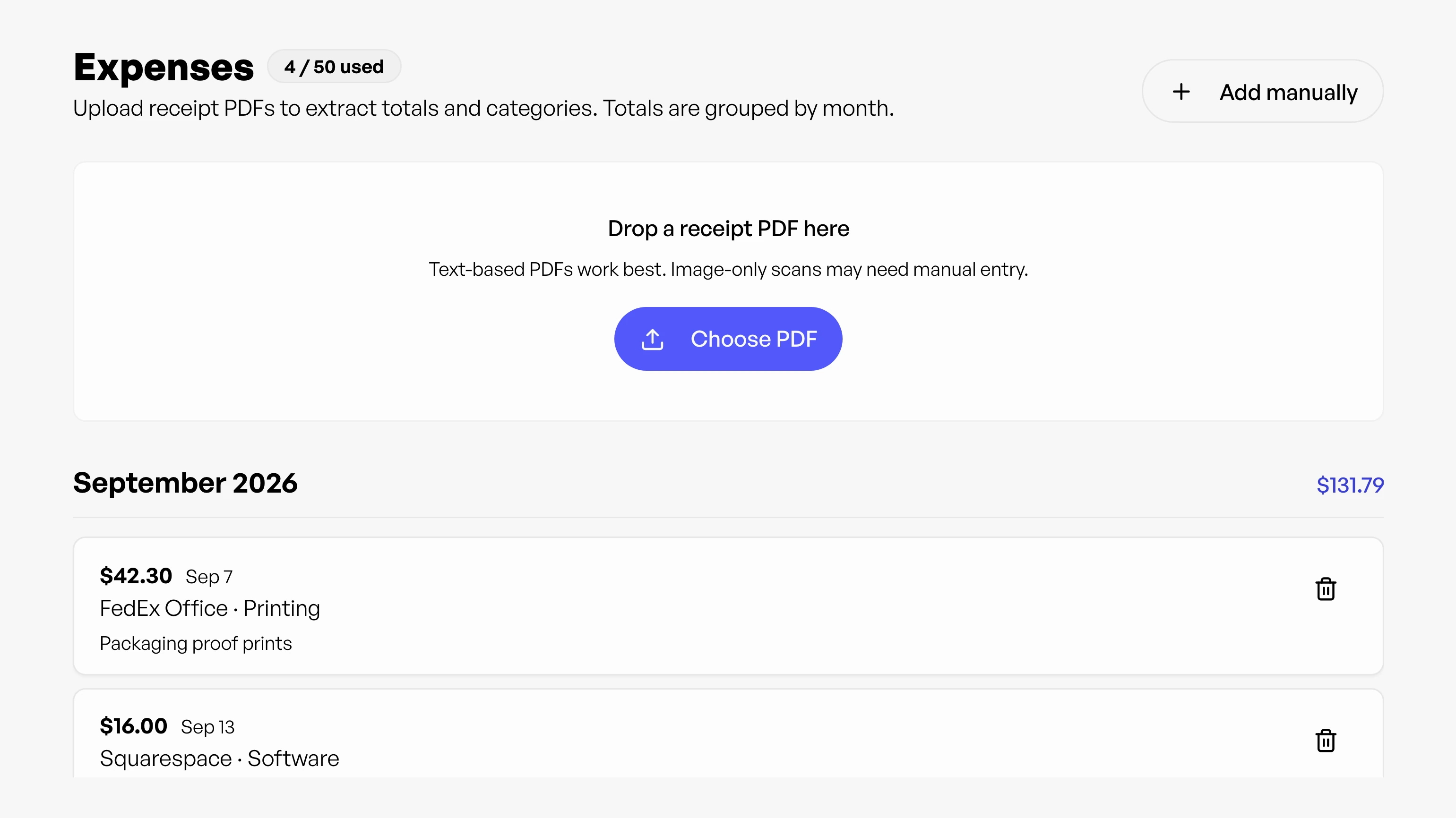
Freelance expense tracking with categories and receipts in Workey

Expenses / Billing & money

Start free

See what your business really keeps

  • Capture every cost

    Freelance expense tracking in the same place you manage time, invoices, and revenue, add manually or upload receipt PDFs with auto-extracted amounts and vendors.

  • Organize by category

    Use categories, mark recurring costs, and review spending grouped by month.

  • See net performance

    Better visibility into what you actually keep, without a separate expense app.

Manual entry or receipt upload

Two ways to capture spending. Receipts stay attached to each entry for tax time.

Manual entry

Add expenses by hand with amount, date, vendor, and category.

Receipt upload

Upload a receipt PDF and Workey extracts the amount and vendor for you to review before saving.

Categories and recurring costs

Organize spending with categories, software, contractors, tools, and more. Mark recurring expenses so monthly subscriptions don't need to be re-entered every billing cycle.

Monthly grouping next to revenue

Expenses group by month alongside income in Revenue and trends in Analytics, a clearer picture of net freelance performance without a separate expense app.

Expenses alongside revenue

  1. Expenses
  2. Revenue
  3. Analytics

Track spending in Expenses while Revenue and Analytics show income. Together they give a clearer picture of freelance cash flow.

Questions about expenses

What can I track in the Expenses feature?

You can track day-to-day business spending such as software subscriptions, contractor costs, tools, and other operational expenses, all tied to your freelance business records.

Can I upload receipt PDFs for expenses?

Yes. Upload a receipt PDF and Workey can extract amount, date, and vendor details to speed up entry. You can review and edit before saving.

Does Expenses support recurring costs?

Yes. Expenses supports recurring entries so you can capture monthly or repeating costs without re-entering the same data every billing cycle.

How do expense categories help freelancers?

Categories keep spending organized for tax prep and business reviews (software, contractors, tools, and more) so you can see where money goes alongside revenue.

How does Expenses help with revenue visibility?

By keeping expenses in the same system as projects, invoices, and revenue, you get a clearer picture of business performance and can better understand your net results over time.

Try Expenses on your own work

Use it alongside the rest of Workey on a free account.

Start free